CityPups - Urban Dog Adoption Experience
Role
UX/UI Designer
Timeframe
5 Days
Helping city residents find adoptable dogs that truly fit their lifestyle.
Overview
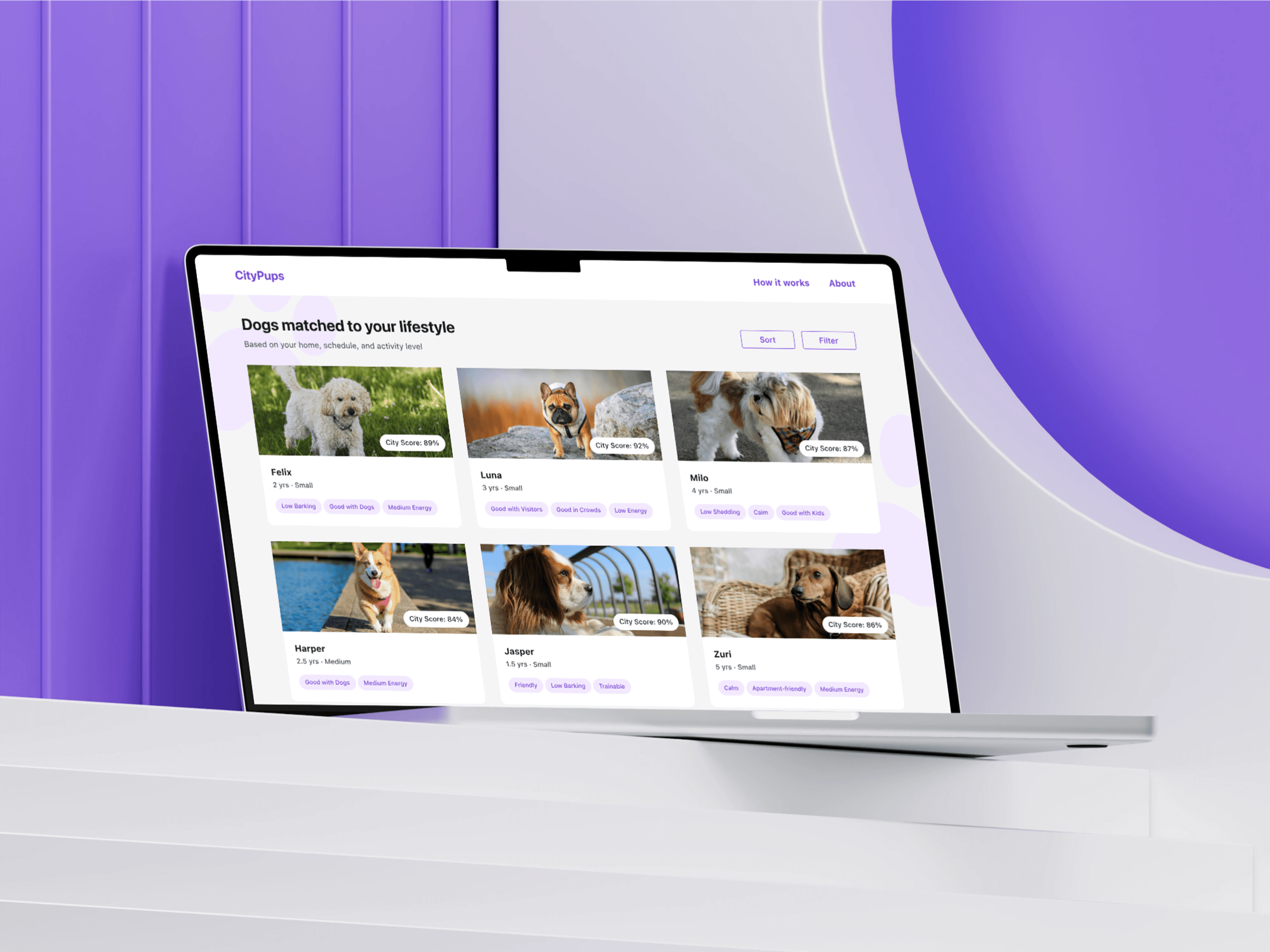
CityPups is a startup focused on helping people living in cities adopt dogs that match their lifestyle.
Urban living presents unique challenges for dog adoption, including small living spaces, long work hours, and limited outdoor areas.
The goal of this design sprint was to create a product experience that helps users make confident adoption decisions by matching them with dogs suited to city life.
The Problem
Many adoption platforms focus heavily on photos and emotional appeal.
While this helps people fall in love with dogs, it often leads to mismatches between the dog’s needs and the adopter’s lifestyle.
City residents need clearer information about factors such as:
energy level
barking behavior
training needs
apartment suitability
Without this information, adoption decisions can feel uncertain and risky.
Sprint Goal
Design a product experience that:
helps users understand whether a dog fits their lifestyle
provides transparent information about each dog
builds confidence in the adoption decision
Design Sprint Process
The project followed a modified Google Ventures Design Sprint.
Day 1 - Understand
I analyzed the design brief, reviewed existing user interviews, and studied the provided personas.
A key insight emerged.
People want emotional connection through photos and videos, but practical compatibility ultimately drives adoption decisions.
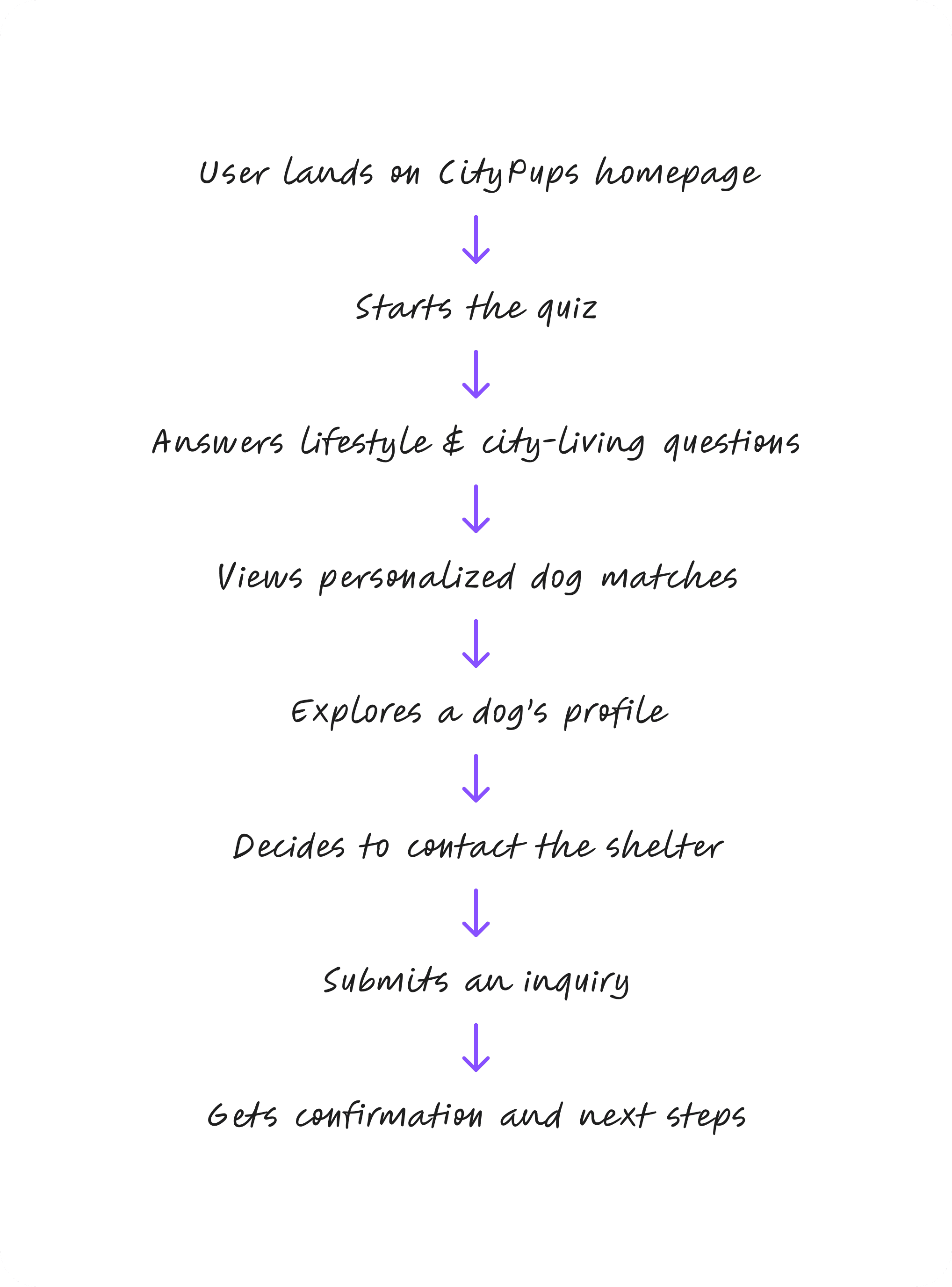
To define the scope of my prototype, I created a simple end-to-end map. On the top, I defined the user (city-dwellers searching for their ideal dog). In the bottom, I defined their main goal: Find a dog that fits their city lifestyle and confidently take the next step towards adoption.
Day 2 - Sketch
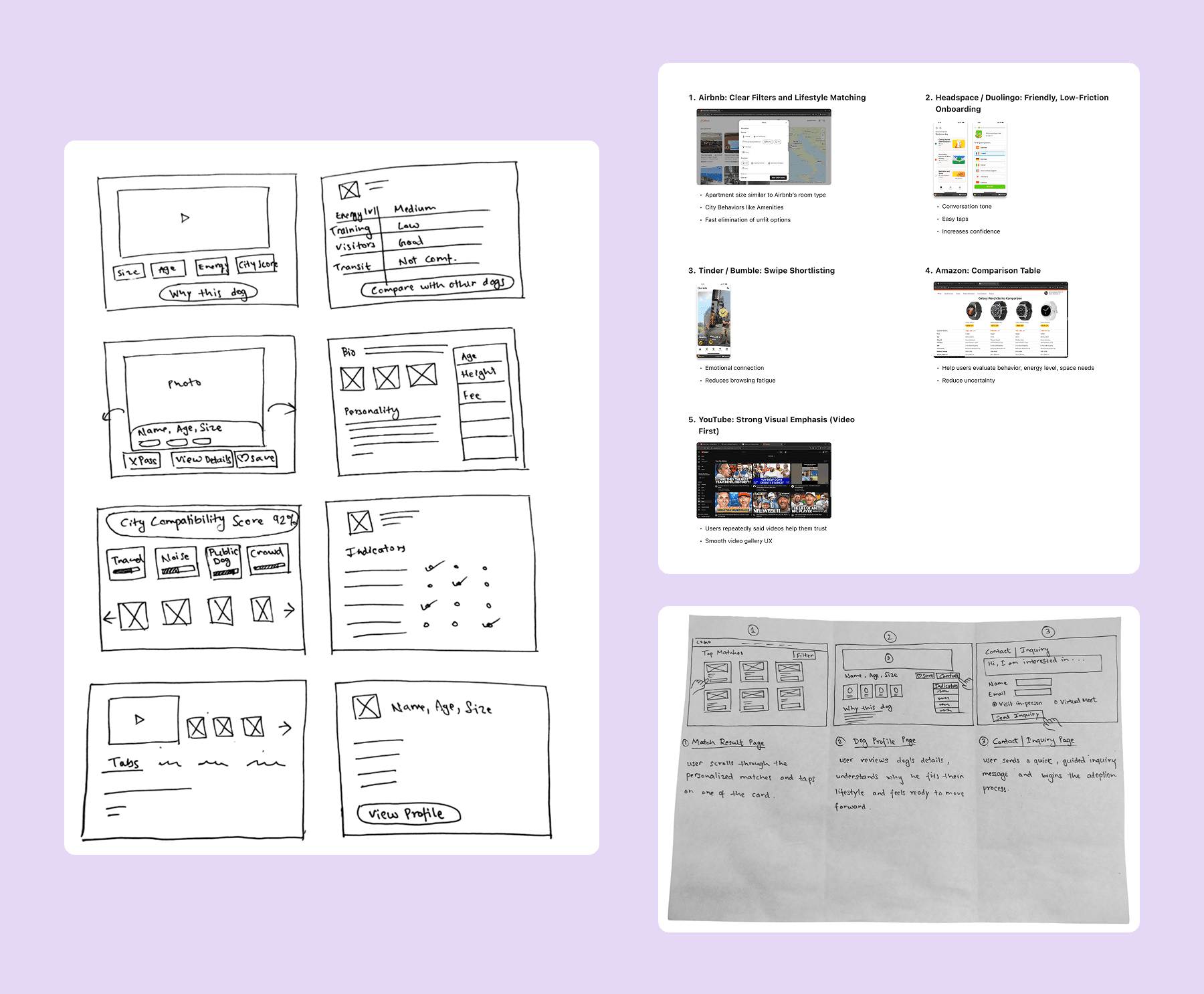
To generate ideas, I conducted lightning demos of products known for effective filtering and personalization.
Then I explored multiple design directions using Crazy 8s sketches, focusing on how dog information could be communicated quickly and visually.
The dog profile page emerged as the most critical screen, because it is where users decide whether to move forward with adoption.
Day 3 - Decide
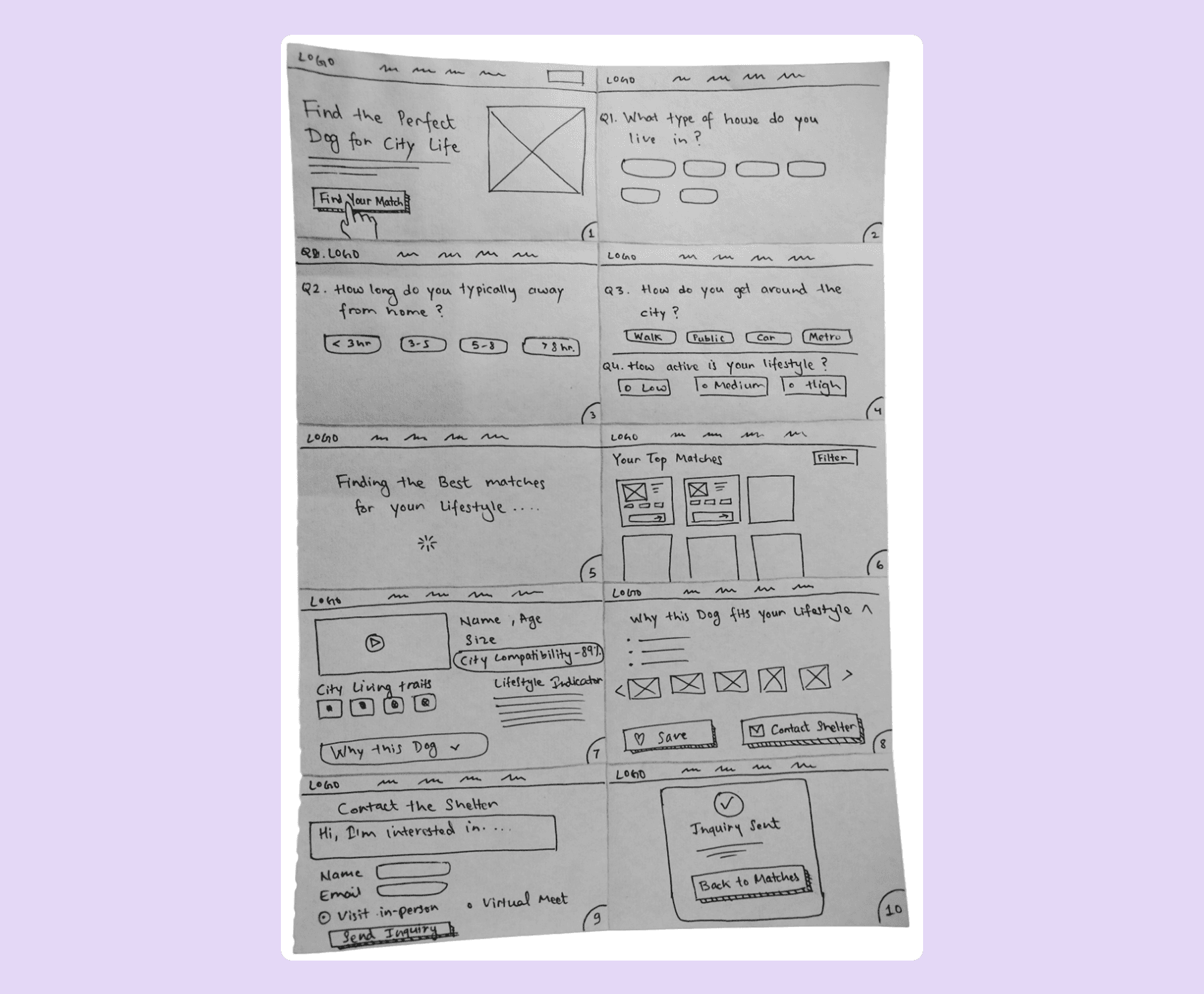
I developed a 10-panel storyboard showing the key user journey:
Homepage → Lifestyle quiz → Match results → Dog profile → Contact shelter
This helped define the core flow that would be tested later in the sprint.
Day 4 - Prototype
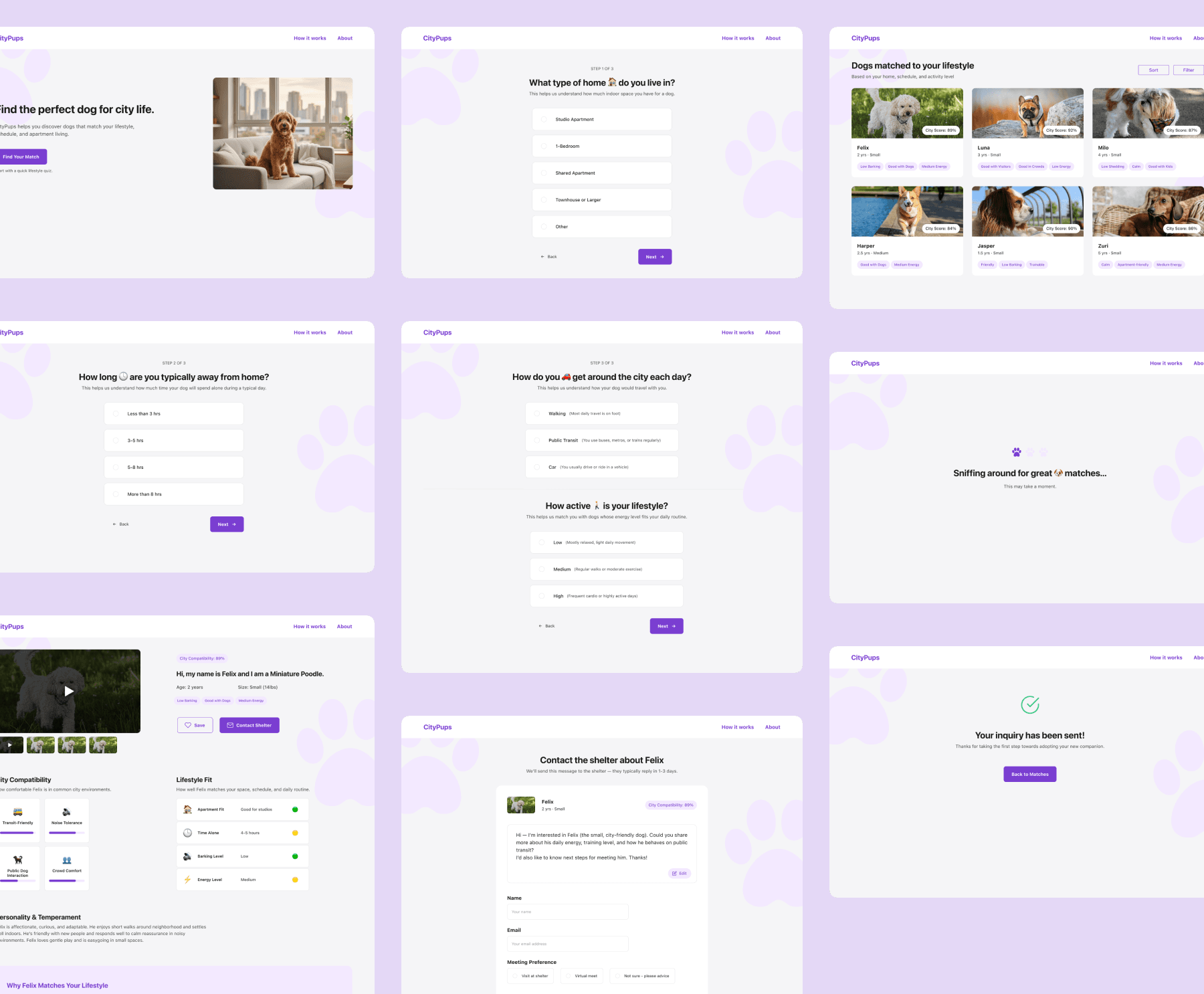
I built a mid-fidelity prototype that included:
homepage
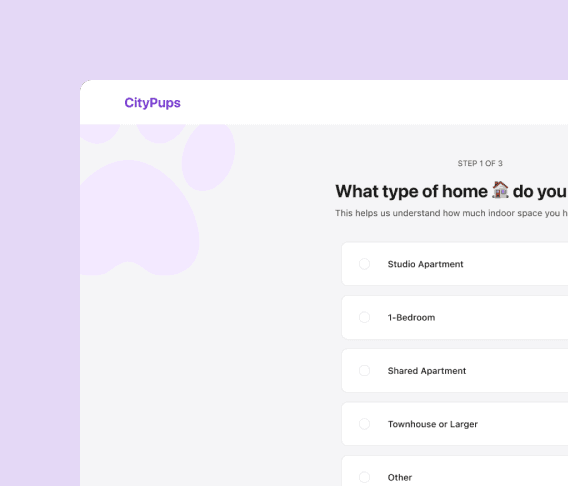
lifestyle quiz
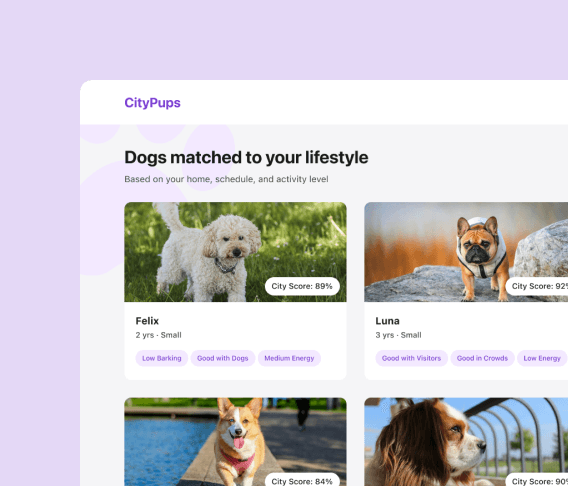
match results
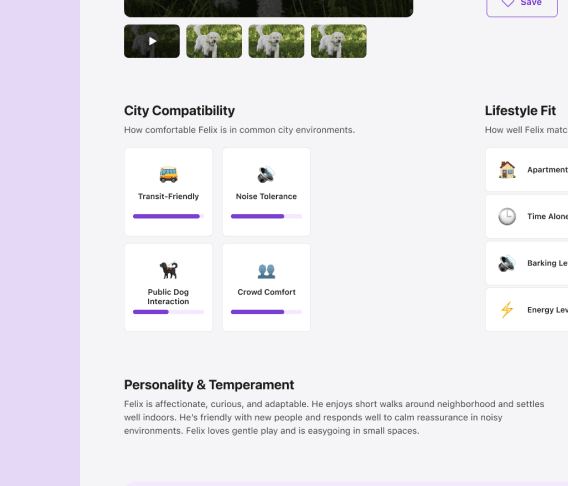
dog profile
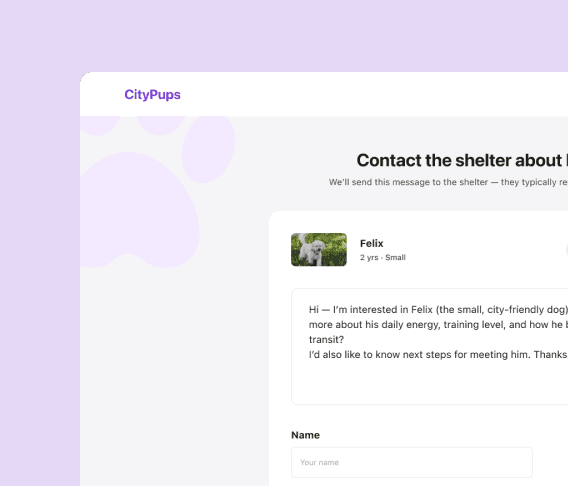
shelter contact form
The prototype focused on helping users quickly understand why a specific dog matched their lifestyle.
Key Features
Usability Testing
The prototype was tested with 5 participants. Several patterns emerged.
What Worked Well
Participants appreciated:
the quick lifestyle quiz
visual compatibility indicators
the clean, simple interface
These elements helped users evaluate dogs quickly.
Key Improvements
Testing revealed several opportunities to improve clarity.
Participants found the label “City Score” confusing.
Users wanted personality and temperament information presented more visually instead of text.
Participants wanted more information about how trainable a dog is, as it directly affects daily life.
Outcome
The final prototype demonstrates how adoption platforms can combine emotional storytelling with practical compatibility information.
By helping users understand how a dog fits their lifestyle, the design reduces uncertainty and supports more confident adoption decisions.
Interactive Prototype
This prototype showcases the flow from lifestyle quiz to personalized matches and detailed dog profile.
Reflection
This sprint reinforced how quickly structured design processes can turn complex problems into testable solutions.
Even within a five-day timeframe, the sprint format helped move from problem definition to validated prototype while staying focused on user needs.
Future Improvements
If the project were expanded further, the next steps would include:
adding visual personality indicators
improving training information in dog profiles
allowing users to edit quiz answers easily
introducing features like “Spend a day with the dog” before adoption