El Locale - Local Marketplace Inbox Hub
Role
UX/UI Designer
Timeframe
4 Weeks
Designing a messaging ecosystem that connects buyers, local sellers, and admin in a community-driven marketplace.
Overview
El Locale is a community-driven marketplace designed to help neighbors buy and sell products locally. Unlike global e-commerce platforms, the platform emphasizes trust, relationships, and local connections.
However, the product lacked a built-in communication system where buyers and sellers could interact.
My task was to design a communication hub that supports three different user roles—buyers, sellers, and admin — while maintaining the friendly and supportive spirit of a local marketplace.
The Problem
For a local marketplace to work, communication between buyers and sellers is essential.
However, the platform lacked a centralized messaging system.
This created several issues:
Buyers had no easy way to ask questions about products
Sellers could not manage conversations effectively
Admin had limited visibility into disputes or reported issues
Without a communication system, the platform could not support the trust and interaction needed for local commerce.
Research & Key Insights
To understand how communication works in marketplace, I analyzed platforms such as Amazon and Etsy.
These platforms prioritize automation and transaction speed rather than human interaction.
However, El Locale aimed to create a community-focused experience.
This revealed an opportunity.
Instead of designing a highly automated messaging system, the interface should prioritize human dialogue and trust signals.
Strategic Insight
One of the most important discoveries came from discussions with the founder.
Many sellers on the platform were already familiar with Square's messaging tools.
This insight shaped a key design decision.
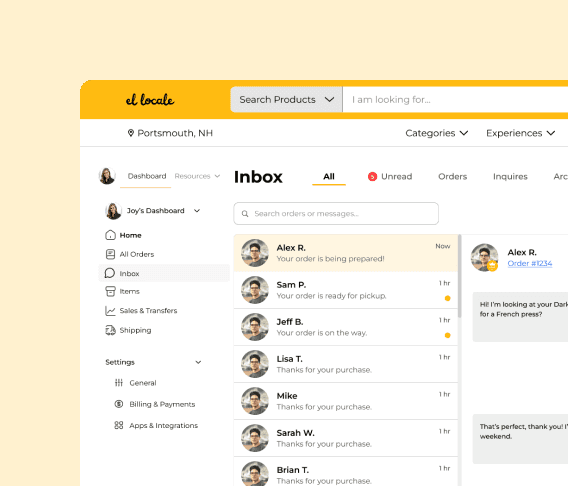
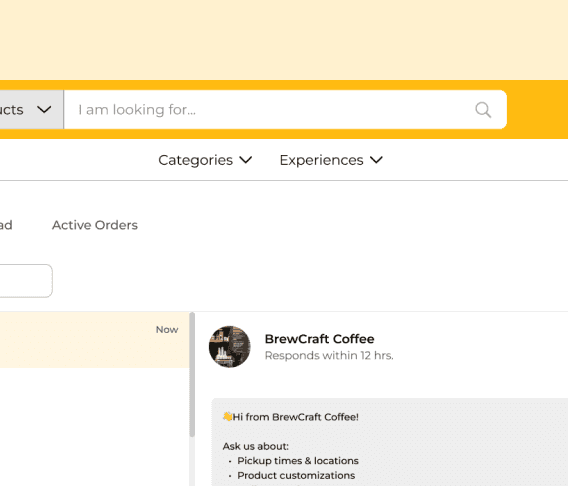
Instead of introducing a completely new interface, the seller dashboard adopted a 50–50 split layout similar to Square’s messaging system.
This reduced the learning curve and made the system easier to adopt for local businesses.
Design Strategy
The final design focused on three principles.
Conversational Simplicity
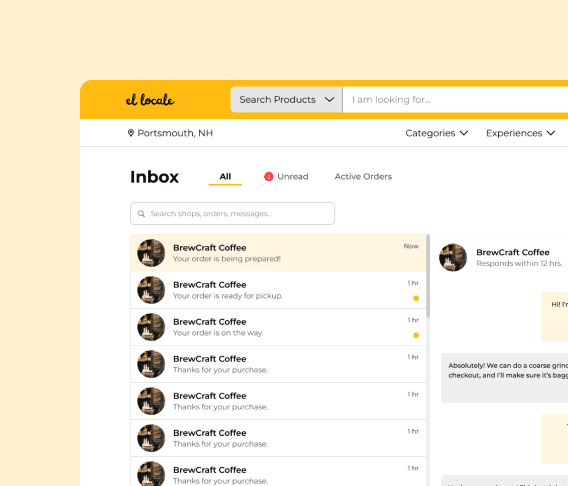
The message system should focus on dialogue rather than transactional complexity. Unnecessary elements such as order receipts and fulfillment controls were intentionally removed.
Familiar Operational Workspaces
Seller tools should follow mental models to reduce friction. The interface uses a split-view layout so sellers can manage conversations and read messages simultaneously.
Transparent Community Moderation
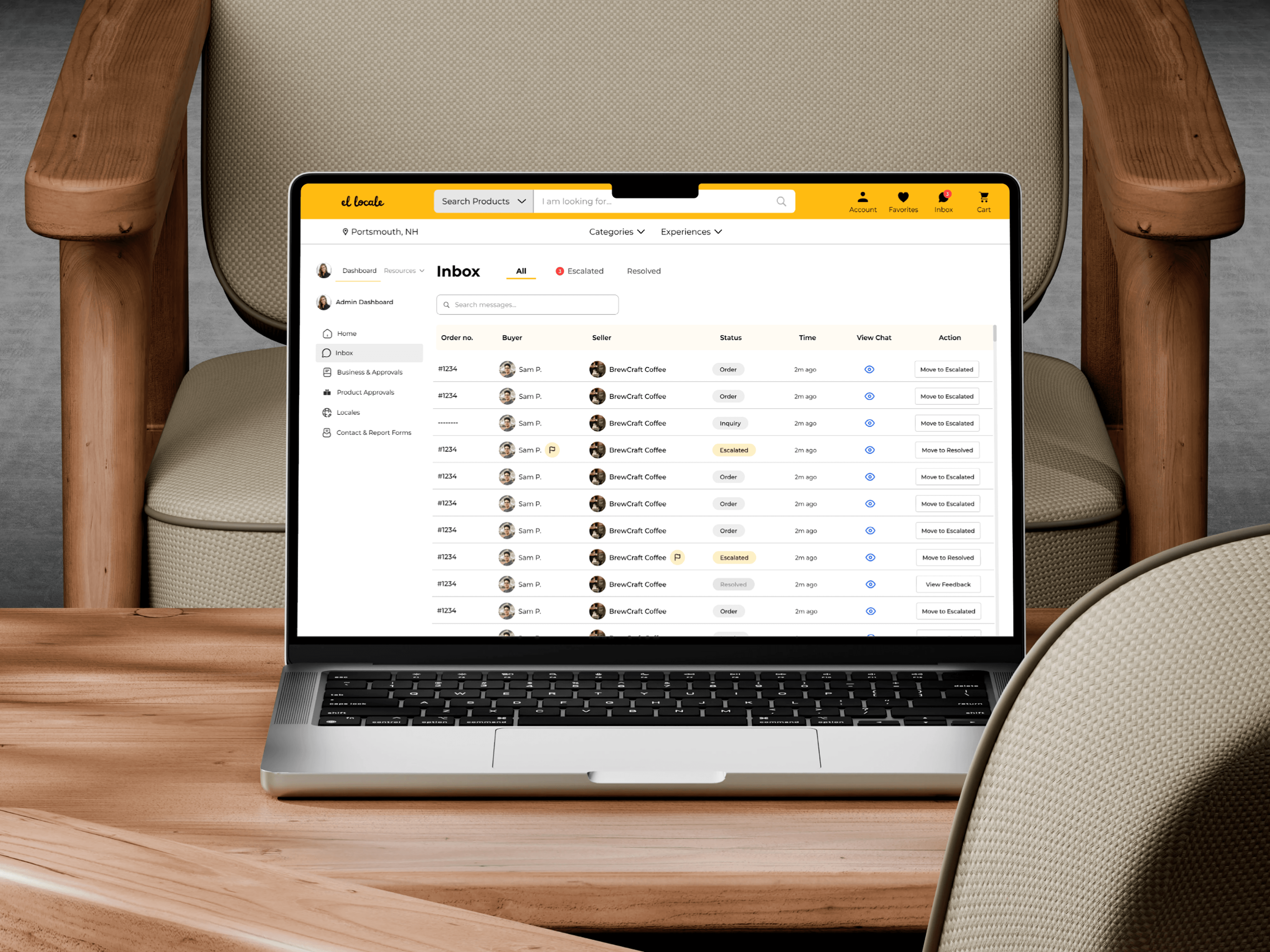
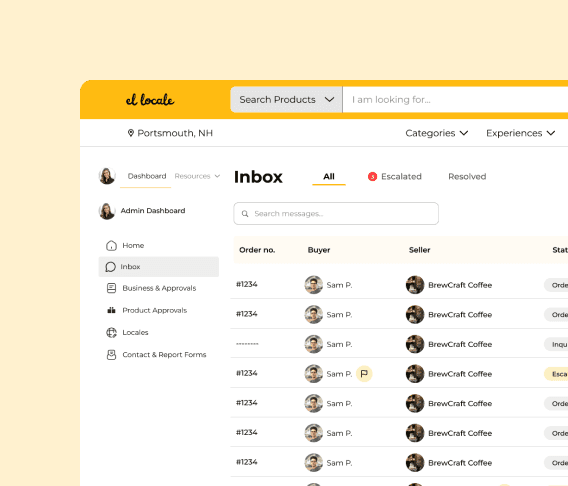
Admin should be able to step into conversations when necessary while maintaining transparency for all participants.
Key Features
Design Process
User Flow
Three main flows were designed to support each role.
Buyer Flow - Product discovery → Shop profile → Contact seller → Conversation
Seller Flow - Notification → Inbox → Review buyer context → Respond
Admin Flow - Global inbox → Reporter flag → Enter conversation → Resolve issue

Wireframes
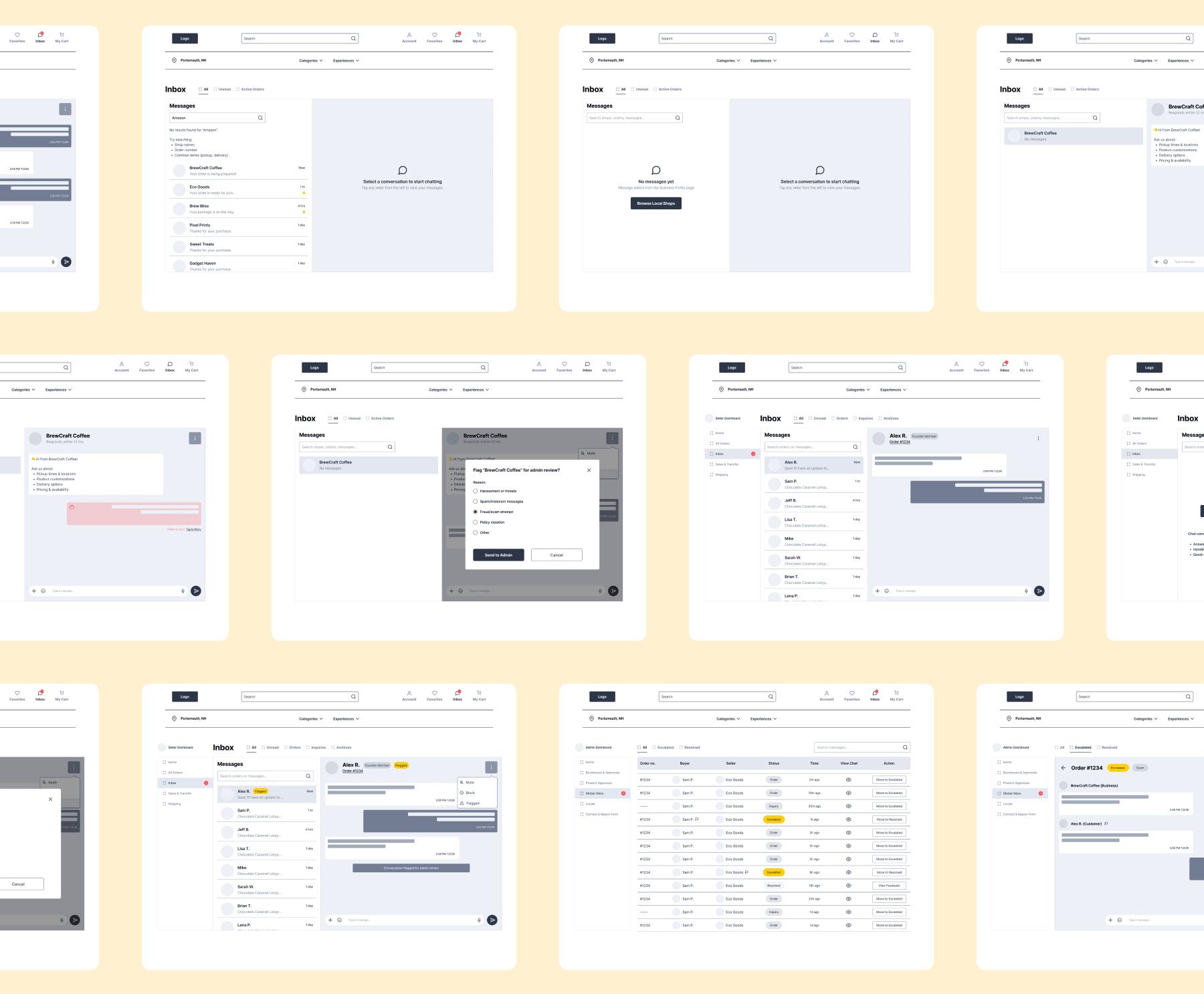
More than 20 wireframes were created to explore different layouts for the buyer, seller and admin interfaces.
The final design used a split-view layout to maximize clarity and efficiency.
Validation & Constraints
Due to the limited time project timeline (1 month), formal usability testing was not conducted during this place.
However, design decisions were informed through:
continuous team discussions and feedback loops
referencing established patterns from tools like Square
aligning flows with common user expectations in marketplace platforms
To reduce usability risks, I focused on:
using familiar interaction patterns
simplifying the messaging experience
prioritizing clarity over feature complexity
Outcome
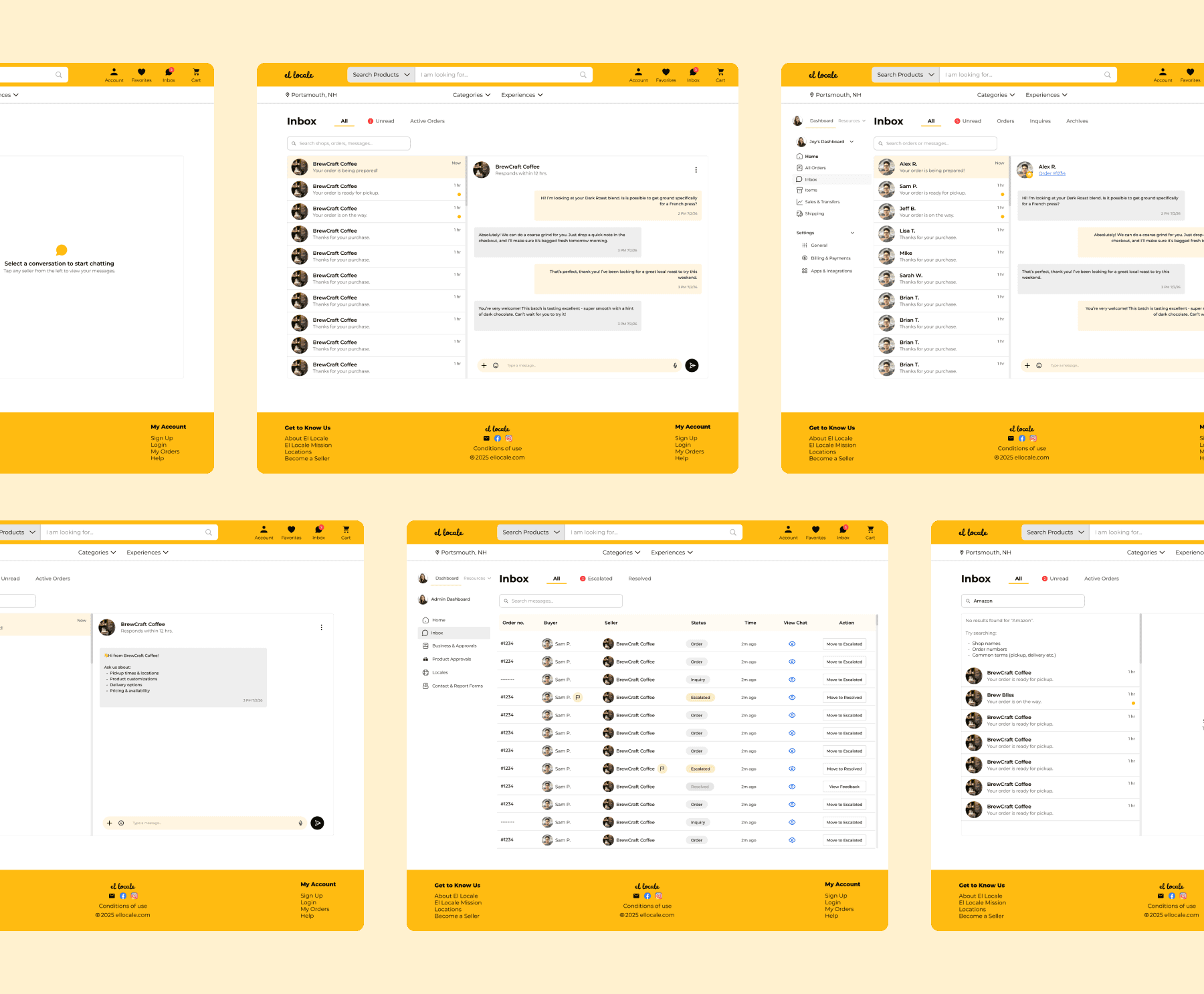
The final design introduces a communication hub that supports the entire marketplace ecosystem.
By focusing on conversational simplicity and familiar mental models, the design helps buyers connect with sellers while giving admin the tools needed to maintain a healthy community.
Reflection
This project reinforced the importance of designing for systems rather than individual screens.
Balancing the needs of buyers, sellers, and admin required thinking about the platform as a connected ecosystem.
It also demonstrated how simplifying interfaces can strengthen human interactions within digital products.